
MIDI Generator vs AI Music Generator: Which Should You Use?
Algorithmic MIDI generation and AI audio generation solve different problems — an honest comparison of editability, licensing and workflow.
The real question isn't which tool is better — it's whether you want a finished song or the raw material to make one.
"Music generator" now describes two very different kinds of software. One is the AI audio generator — Suno, Udio, and their peers — which turns a text prompt into a finished, mixed recording. The other is the algorithmic MIDI generator, which composes actual notes you can open, edit, and produce yourself. They get lumped together constantly, but they solve different problems for different people. Here's how to decide which one you actually need.
What Each Tool Actually Is
An AI music generator is a trained model. It has learned statistical patterns from enormous amounts of existing recorded music, and when you prompt it, it predicts audio that fits those patterns. The output is a rendered waveform — often complete with vocals, mixing, and mastering — and the process in between is a black box. You can regenerate or extend, but you can't reach inside and change one decision.
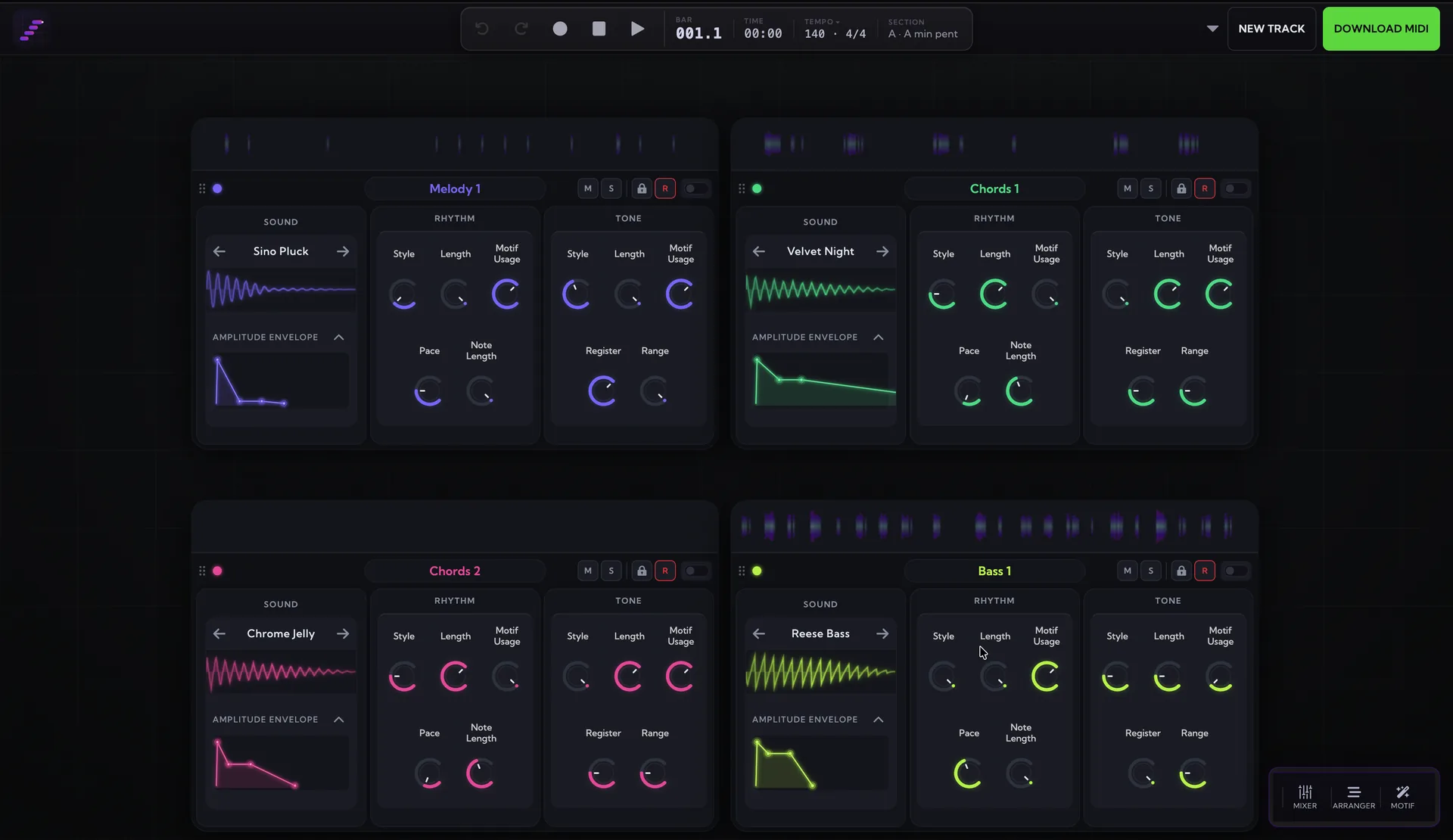
A MIDI generator like MIDI Maker works from the other direction. There is no trained model and no training data. It composes with transparent, tunable chance: you set the key, scale, chord progression, rhythm density, and melodic character, and weighted-random algorithms generate notes inside those rules. Every parameter is a dial you can see and move, and the output is MIDI — the notes themselves, not a recording of them. If you're new to the category, our explainer on what a MIDI generator is covers the fundamentals.

The Editability Difference
This is the divide that matters most in practice. AI audio generators give you finished audio only. If the second chorus melody is wrong, or the bassline clashes with something you already wrote, you can't fix that note — you re-prompt and hope. Stem-separation tools can pull a mixed track apart approximately, but you're reverse-engineering a recording, not editing a composition.
MIDI is the opposite: every note is editable. Drag a generated melody into Logic, Ableton, or FL Studio and it behaves exactly like something you played in yourself — change pitches, move timing, swap the instrument, reharmonise the whole section. The generator hands you raw compositional material; your DAW skills, sound design, and taste do the rest. That also means each instrument arrives as its own part, so you get real stems by construction rather than by extraction.
Licensing and Training Data
AI audio generators carry genuine licensing uncertainty. Because the models are trained on existing recordings, questions about the copyright status of their output — and of the training process itself — are still being contested in courts and negotiated with labels. For a hobby project that may never matter. For sync placements, client work, or anything you plan to monetise, it's a risk you have to price in.
A rules-based MIDI generator sidesteps the issue entirely. With no training data, there is nothing to imitate and no one else's work in the pipeline — the output is 100% royalty-free, and the finished track is unambiguously yours because you produced it. If royalty certainty matters to your work, this alone can settle the choice.
When an AI Audio Generator Is the Right Tool
Honestly: sometimes it is. If you want a complete song from a text prompt — vocals, lyrics, mix and all — and you have no interest in producing it yourself, an AI generator is the only tool that does that. They're genuinely impressive for placeholder music, quick concept demos, personalised novelty songs, or exploring how a lyric might sound sung. If the finished audio is the end product and editability doesn't matter, use one.
When a MIDI Generator Wins
If you're a producer, the calculus flips. You already have a DAW, sounds you like, and opinions about arrangement — what you need is strong starting material, not a finished record that locks you out of every decision. A MIDI generator gives you ideas you can react to in seconds, then full control over where they go: keep the chord progression, rewrite the melody, quantise the drums differently, or stream the notes live into your DAW over MIDI and record them onto separate tracks as they play. Add royalty certainty and a transparent process you can steer, and it's the better fit for anyone whose end product is their own production.
Side by Side
| MIDI Generator | AI Music Generator | |
|---|---|---|
| How it composes | Transparent, tunable chance within rules you set | Averages of its training data, black-box process |
| Output | MIDI notes — export to any DAW, real stems per instrument | Finished audio only |
| Editability | Every note and every synth editable | Cannot edit individual notes — re-prompt instead |
| Training data | None — nothing to imitate | Trained on existing recordings |
| Licensing | 100% royalty-free output | Licensing uncertainty |
| Best for | Producers who want ideas, stems, and DAW workflows | Complete songs from a text prompt, including vocals |
The Bottom Line
Choose by end product. If you want a finished song and don't want to produce it, an AI audio generator will get you there fastest. If you make music yourself and want editable material you fully own, a MIDI generator belongs in your workflow. Generate a track in the studio and drag the MIDI into your DAW, or start smaller with our free MIDI tools for scales, chord progressions, and drum patterns.