
From a Motif to a Masterpiece
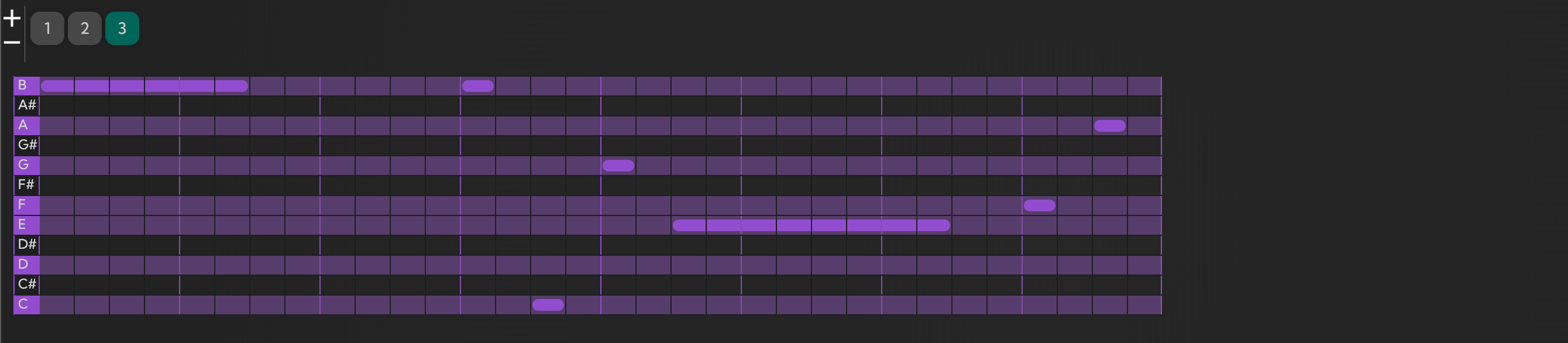
How to use a motif in MIDI Maker to build a coherent piece across different keys, chord progressions, and rhythms — all in real time.
Input a motif once and immediately hear it in dozens of different harmonic contexts without touching a note.
Every time you adjust a chord parameter, a new progression is generated around your motif — live, as you listen.
A motif is a short, repeating musical idea — a handful of notes with a recognisable shape or rhythm. Almost every piece of music you've ever heard is built on one. The challenge is taking that initial idea and developing it into something larger without losing what made it interesting in the first place.
In a traditional DAW, exploring a motif across different keys and chord progressions means duplicating it, transposing it, adjusting notes that fall outside the new harmony — for each variation, manually. That process turns a ten-second creative idea into an hour of housekeeping.
Real-Time Motif Exploration
In MIDI Maker, you input your motif once. From that point, the generator can apply it across any key, scale, or chord progression you set — instantly, as you change the parameters. Move a dial and the music updates in real time; there's no pause to regenerate, no export step, no re-importing into a timeline.
This turns motif development from a technical task into a listening task. You're hearing your idea in context after context, making decisions about what sounds right rather than making edits and waiting to hear the result.
Setting Up Chord Progressions and Key Changes
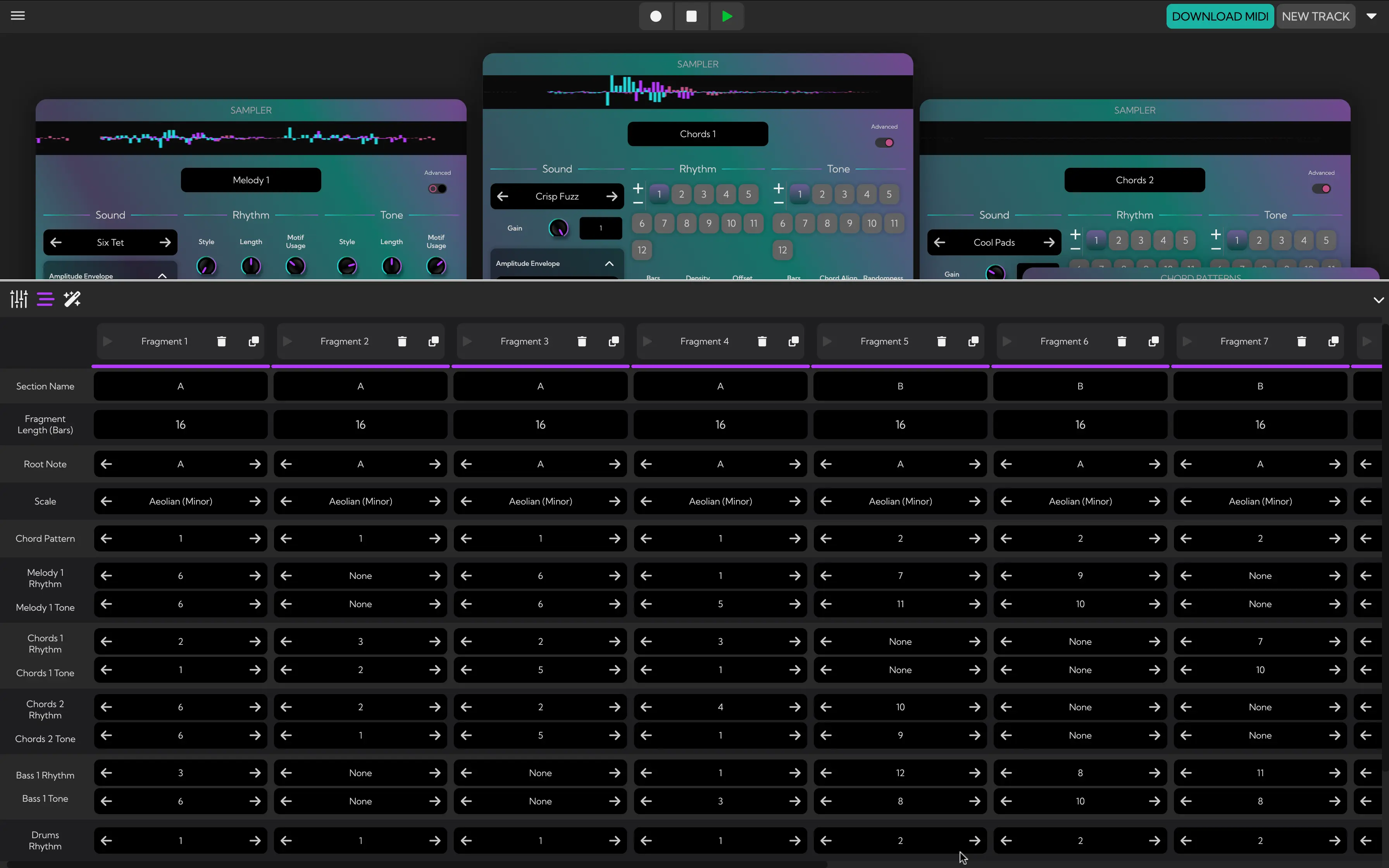
To control the harmonic context your motif plays over, use the controls at the bottom left of the screen. This opens the progression section, which lets you define the key, chord sequence, and the length of each fragment:
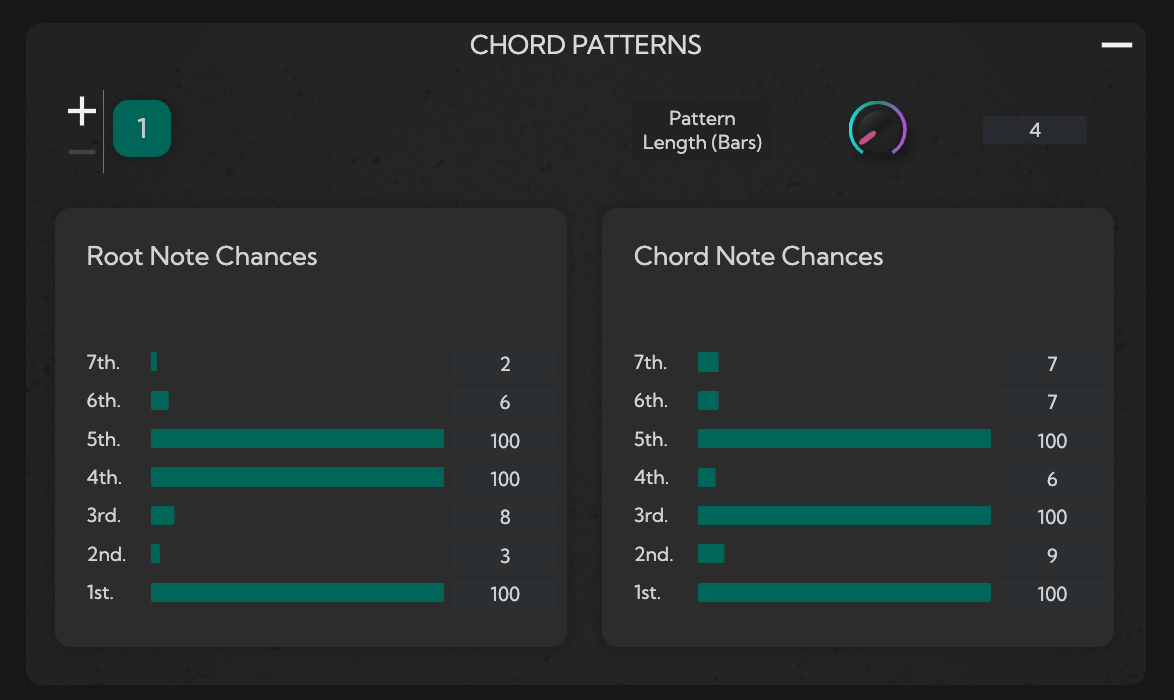
To create or edit individual chord patterns within a section, use the chord pattern interface. Each pattern defines the harmonic structure the generator uses to place notes from your motif:
Building a Full Piece
Add multiple chord progressions by clicking the plus icon to the left of the section number. Each progression can be in a different key with a different chord pattern, giving you the building blocks of a complete arrangement — verses, choruses, bridges — all driven by the same motif.
Adjusting the root note chance, chord note chance, or pattern length generates a new chord pattern in place immediately. You can dial in exactly the harmonic density you want before you move on.
Once your progressions are set, enable the motif in the Motifs section by increasing its chance value. The higher the value, the more consistently the motif influences the generated melody — lower values let it appear occasionally, creating variation across sections.
The result is a full piece of music that stays coherent across key changes and chord progressions because it's rooted in the same core idea. Ready to try it? Open the studio and start with a motif you like.