
Free Online MIDI Generator
Generate complete, editable MIDI arrangements — melody, chords, bass and drums — and export MIDI, WAV or MP3 for any DAW. Free, no sign-up for tools.
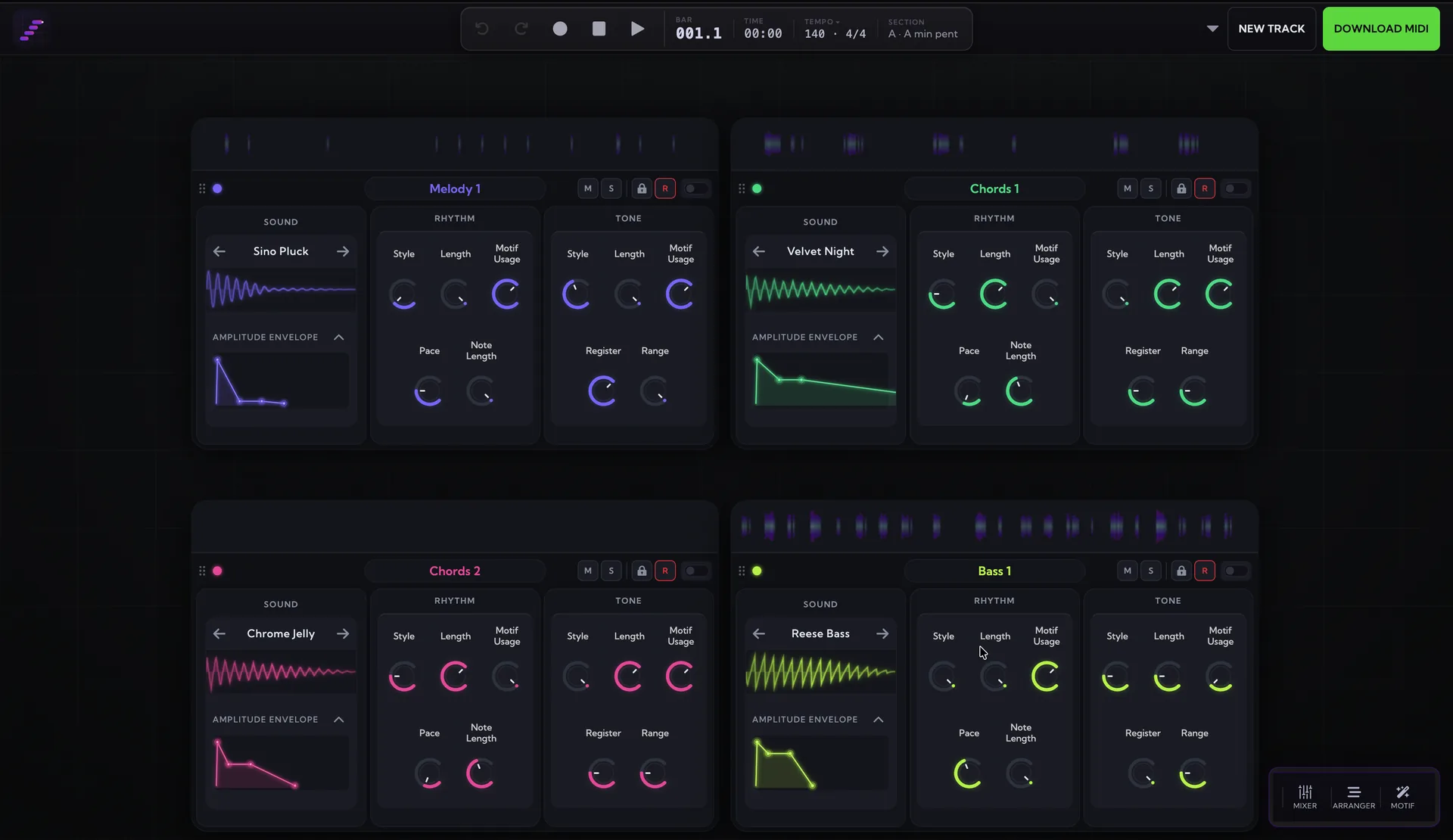
The generator lives in the studio — roll full arrangements, edit every note, export MIDI, WAV or MP3.
What does the MIDI generator create?
MIDI Maker doesn't hand you a random string of notes — it generates complete musical arrangements. Every track it rolls has a melody, chord progression, bassline, and drums that belong together: the parts share one key and chord plan, the drums groove with the bass, and the song moves through real sections — intro, verse, chorus, breakdown, outro — with rising and falling energy. Pick from 30+ genres, from ambient and classical through house, techno, trap, and metal, and the generator writes idiomatic parts for each.
Editable MIDI, not a black box
Everything the generator plays is MIDI you can edit. Re-roll any single instrument while keeping the rest, swap sounds, reshape the arrangement on the timeline, tweak note patterns, and when it's right, export the whole track — or any part of it — as a standard .mid file. Prefer audio? The studio also renders straight to WAV and MP3. The generated music is royalty-free for personal and commercial projects.
Works with every DAW
The exported file is standard multi-track MIDI: drop it into Ableton Live, FL Studio, Logic Pro, GarageBand, REAPER, Cubase, or anything else that reads .mid, and each part lands on its own track with the drums on the General MIDI drum map. In Chrome and Edge the studio can even stream MIDI live into your DAW while it generates. The guides below walk through the import (and live-streaming) steps DAW by DAW.
MIDI generator guides for your DAW
- Ableton Live MIDI generator guide
- FL Studio MIDI generator guide
- Logic Pro MIDI generator guide
- GarageBand MIDI generator guide
- REAPER MIDI generator guide
- Cubase MIDI generator guide
Looking for smaller building blocks instead of full arrangements? Grab scales, chord progressions, melodies, or drum grooves as one-click MIDI downloads.
More free MIDI tools
Want full tracks, not just MIDI files?
The MIDI Maker studio rolls complete, editable arrangements — melody, chords, bass and drums — you can export to any DAW. Free, in your browser.
Open the Studio — Free